

Everything You Need to Know About Date in JavaScript
Jul 05, 2019

We usually authenticate our APIs for real project. It means that you need to include a token in your request to the server to able to get data back.
We’ll install all that packages to our project
$ npm install --save jsonwebtoken passport passport-local passport-jwtAt the root folder project, we’ll create file name passport.js.
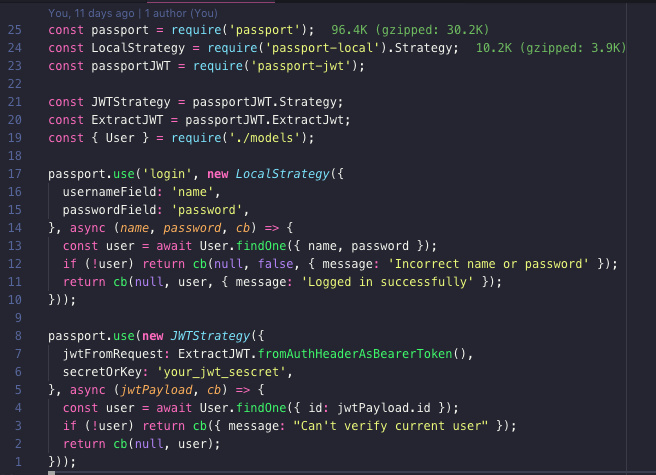
First, we use passport name login as LocalStrategy (from passport-local package). We’ll find one User modal has the same name and password.
Second, we use JWTStrategy (from passport-jwt) for parsing token to get user’s id. We’ll find our user from our database based on that user’s id to verify whether that user exists or not.
Next, we’ll apply our authentication mechanism for our routes. We need to modify routes/v1.js a little bit:
const express = require('express');
const router = express.Router();
const passport = require('passport');
require('../passport');
...
/* eslint-disable */
router.post(  '/login', AuthController.authenticate);
router.get(   '/users', passport.authenticate('jwt', { session: false }), UserController.getAll);
router.post(  '/users', passport.authenticate('jwt', { session: false }), UserController.create);
...
/* eslint-enable */
module.exports = router;
First, we require all our codes from passport.js into routes/v1.js.
Second, we update router definition for /GET and /POST /users so that it’ll require authenticated token if you want to touch these APIs.
Finally, you can see that we just add new API /login that will help us to login and get a token to use in our application.
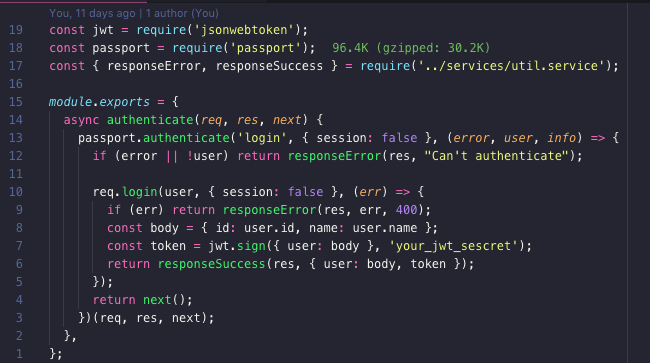
We’ll use passport.authenticate method to handle login strategy that we defined in passport.js above. Please notice that the user here is what we got from passport.use('login', ...) in passport.js. Based on that user information, we will use jsonwebtoken to sign a new token and return to our client.
const token = jwt.sign({ user: body }, 'your_jwt_sescret');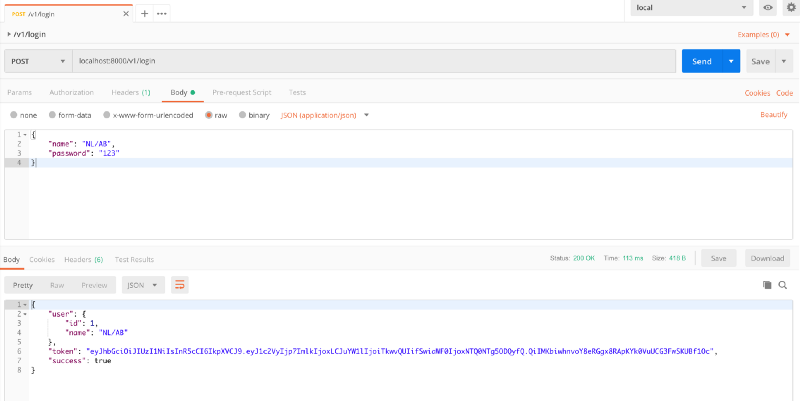
We’ll log in through /v1/login to get our token.
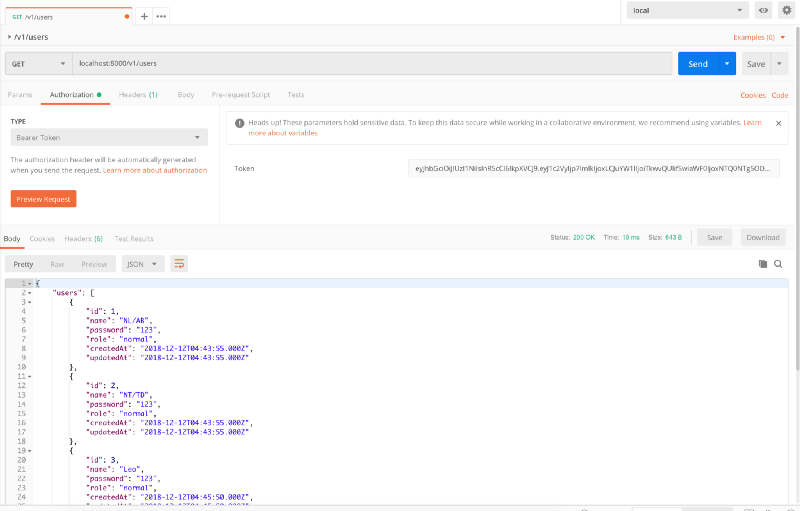
Then we’ll use that token as Bearer Token and try to fetch all users information from /v1/users API.
Now we can require authentication to any API end point we want.
Next step, we’ll start to write unit tests for our application. See you there.


